Create a group ticket
A Deal ticket is a ticket type that is made up of multiple ticket types, for example A family ticket is made up of 2 Adults and 2 Children.
Last updated 5 months ago
Go to “Event Name“ > Event Setup > Ticket Types > Create > Ticket or choose an existing ticket type
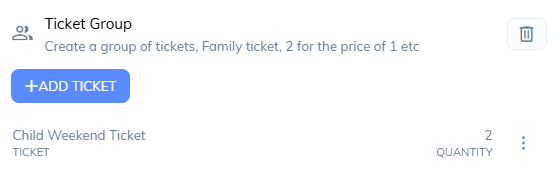
Expand the Ticket Group block

Choose Add Ticket
Select an existing ticket that will be part of this group
set the quantity
Repeat this process for all tickets required for this group
When a customer pruchases a group ticket, They’ll receive the individual tickets of this group instead. For example a family ticket of 2 Adults and 2 Children would give the customer 4 QR code tickets.
Was this helpful?
Still need help? Share an idea