Add a guest ticket
Generate and send guest tickets
Last updated 8 months ago
Go to “Event Name” > Customers > Guest List
1. Details
Name: Name of your guest
Email: Email address of your guest
Category: Put your guest in a category, example: Performer, Trade, Carer etc
Notes: Some additional notes about this guest for you to check at any point
2. Tickets
Enter the quantity for each ticket type you want to provide
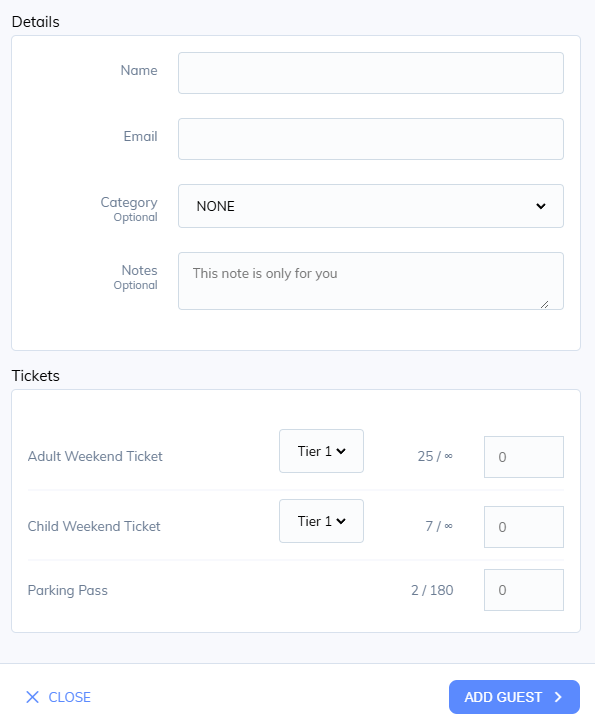
Click add guest to create the order and send the confirmation to the customer.
Was this helpful?
Still need help? Share an idea