Invite another member to your team
Invite or add another organiser to your team
Last updated 17 days ago
Click ‘Your Name’ in the top right corner
Go to ‘My Account’, if you don’t see My Account, You are already there, skip to the next step.
Click My Teams tab at the top
Click the team you’d like to add a member to
Click Add User, enter their email address and choose the appropriate permissions
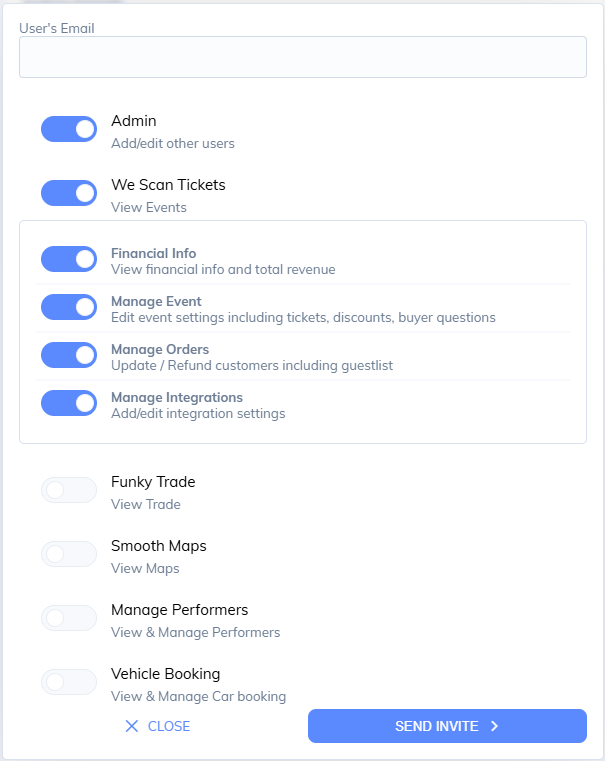
Send the invite. The recipient will receive an email with an accept invite button, once clicked they will be instantly be added to the team.