Get your checkout link or embed code
Get your checkout URL to share or embed code to add a checkout to your website
Last updated 8 months ago
Go to “Event Name“ > Promote > Checkout Link
Use the default checkout or create a new one
Choose Embed / Link
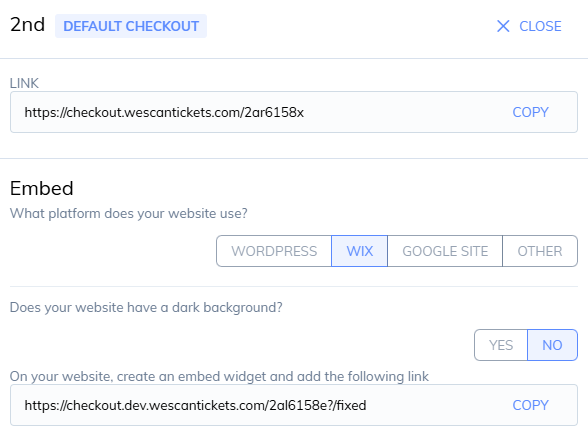
1. Link
The link can be added to your social media action buttons or shared to customers directly
2. Embed
Choose your platform (Wordpress, Wix, Google Site, Other)
Choose if your website has a dark background
Copy and paste the code into your website
Was this helpful?
Still need help? Share an idea